




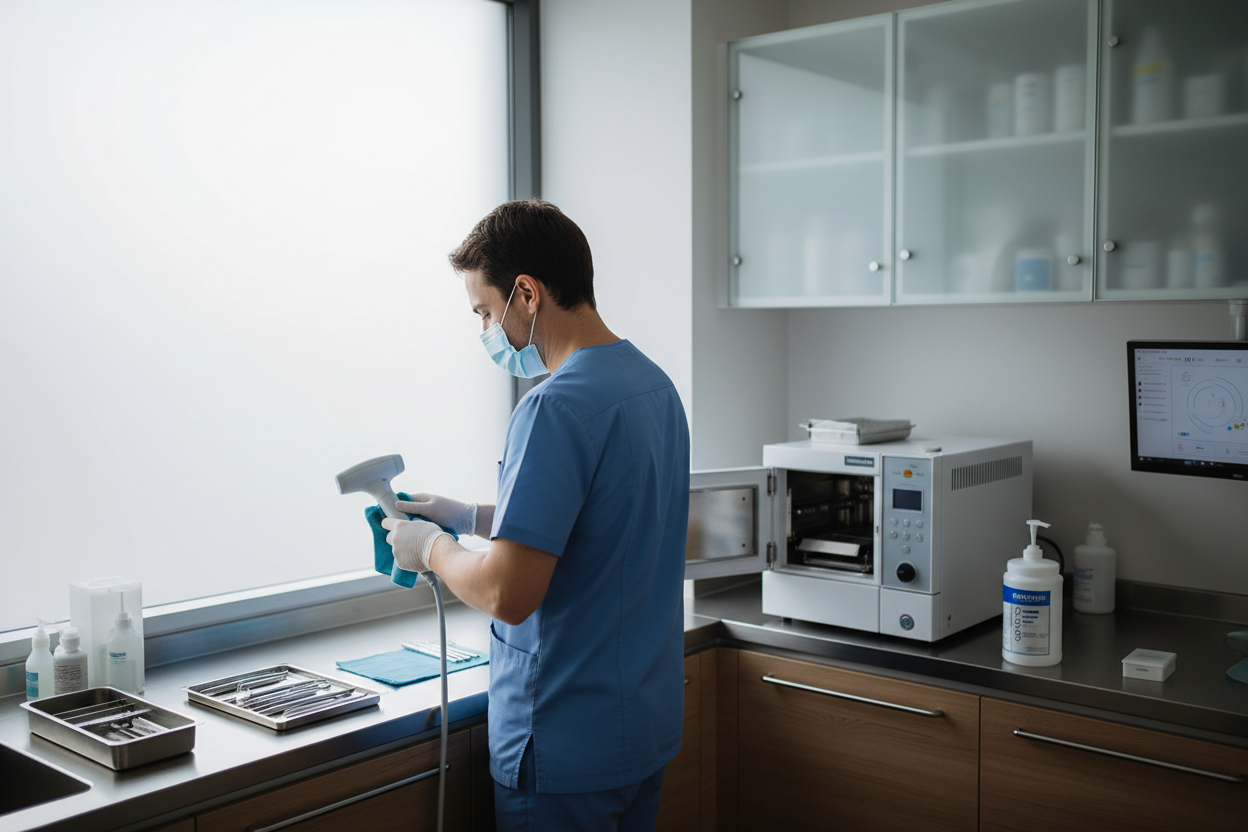
Regular maintenance of intraoral scanners is essential for UAE dental clinics to ensure consistent scanning accuracy, minimise errors, and extend equipment lifespan. Proactive care—guided by manufacturer recommendations—can help prevent unexpected breakdowns and costly repairs, which is particularly important in high-throughput clinical environments (S1, W10). In the UAE, unique challenges such as high ambient dust, humidity, and fast-paced workflows can increase the risk of scanner contamination and wear if not addressed through routine, hands-on maintenance.
Effective scanner care in this setting requires attention to both daily cleaning and brand-specific troubleshooting procedures. Adhering to the manufacturer’s protocols for cleaning, sterilisation, and calibration is critical, as improper handling or use of inappropriate cleaning agents can compromise device function and scan quality (W7). Investing in staff training and adapting maintenance routines to local conditions helps ensure scanners remain reliable and ready for optimal digital workflow integration.
Key Principles of Intraoral Scanner Maintenance
Consistent maintenance of intraoral scanners is fundamental to sustaining their performance and extending device lifespan. Regular care helps ensure scan accuracy and reliability, which is especially important in busy UAE dental clinics where workflow interruptions can be costly. Proactive maintenance—such as scheduled cleaning, calibration, and software checks—may help prevent unexpected malfunctions and reduce the risk of expensive repairs by identifying issues early (W10). Evidence also suggests that factors influencing scan accuracy include both hardware condition and regular software updates, reinforcing the need for systematic upkeep (S1). It is essential for clinics to base their maintenance routines on the manufacturer’s specific recommendations, as each scanner model may have unique protocols and limitations. Familiarising staff with brand-specific guidelines ensures both effective maintenance and compliance with warranty requirements (W7).
Daily and Weekly Cleaning: Procedures and Common Mistakes
How to Clean Intraoral Scanner Tips
After each patient, gently wipe the intraoral scanner tip with a dedicated soft cleaning cloth to remove saliva and debris. Manufacturer guidance recommends avoiding alcohol or harsh cleaning agents, as these can damage optical surfaces and compromise scan quality. For newly received tips, initial disinfection is necessary before first use, according to manufacturer protocols.
Disinfection and Sterilisation Protocols
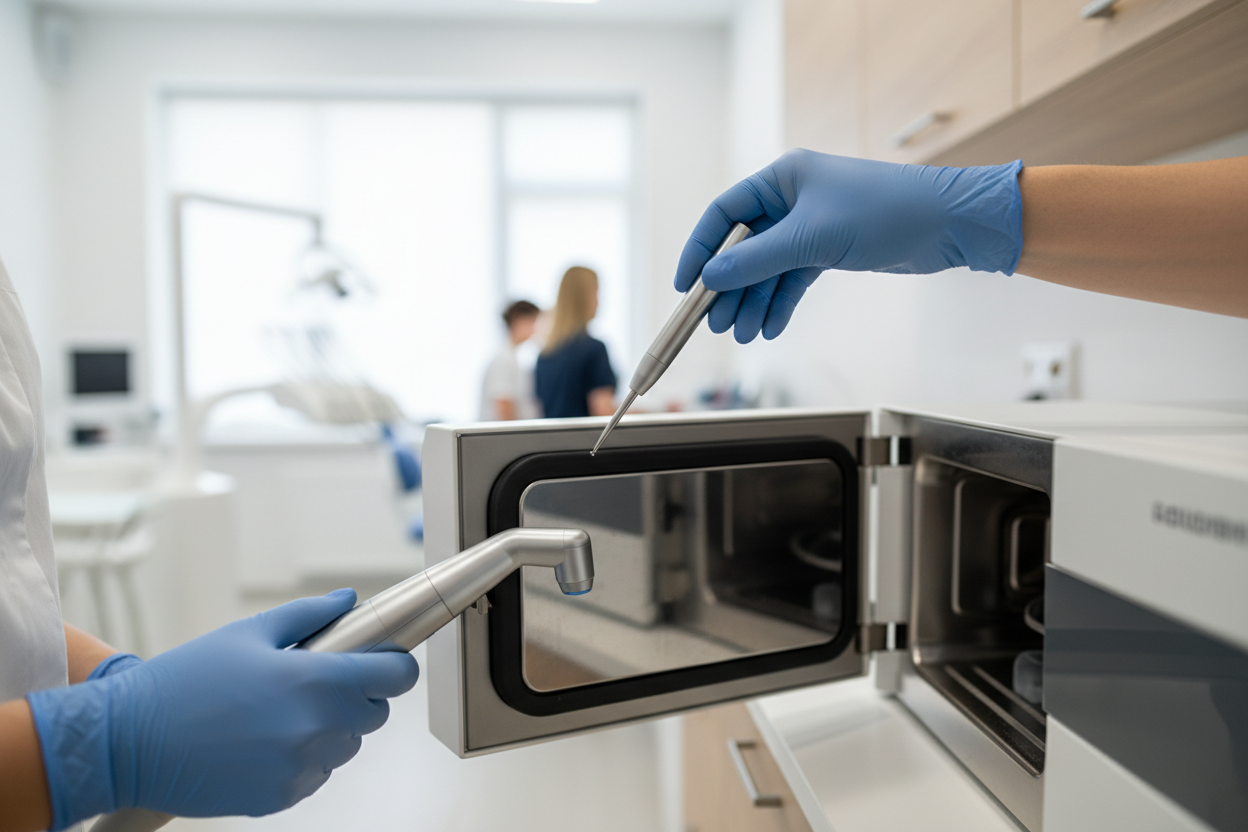
Most intraoral scanner tips are designed to be autoclaved after every use to meet hygiene standards. It is critical to follow manufacturer-specific sterilisation limits—some tips tolerate up to 500 sterilisation cycles, but always check the manufacturer’s specifications for your model, as exceeding this can risk tip integrity. Common mistakes include using inappropriate chemicals, failing to dry tips thoroughly before autoclaving, or neglecting regular cleaning, all of which may reduce scanner performance.
For UAE clinics, high humidity and airborne dust necessitate extra vigilance. Ensure tips are dried completely before autoclaving and consider more frequent cleaning in high patient flow environments to maintain optimal scanner function.
Calibration: When, Why, and How
Digital Scanner Calibration in Dental Practice
Regular calibration of intraoral scanners is essential to maintain scan accuracy and ensure reliable digital impressions. Studies indicate that calibration helps minimise deviations in scan data and supports consistent clinical outcomes (S2). Indications that calibration may be required include recurring inaccurate scans, the appearance of error messages, or visible artefacts in digital models (S1).
The calibration process generally involves preparing the scanner and a designated calibration object according to the manufacturer’s instructions. For both the Intraoral scanner MEDIT i900 Mobility (i900M) and Intraoral scanner MEDIT i900, this typically means following on-screen prompts, ensuring the scanner is clean, and using the supplied calibration tool (W9). Panda intraoral scanners use a similar approach, requiring the specific calibration device and adherence to software guidance. Always consult the user manual for brand-specific steps, as incorrect calibration routines may affect scan quality.
Troubleshooting Common Intraoral Scanner Issues
Error Messages
Both the Intraoral scanner MEDIT i900 Mobility (i900M) and Intraoral scanner MEDIT i900 may display error messages such as calibration required, sensor not detected, or software update needed. Panda scanners typically alert users to connection or tip recognition problems. When these messages appear, consult the scanner’s user manual for specific guidance, as manufacturer protocols can differ (W7).
Poor Scan Quality
Common causes of scan artefacts or failures include improper retraction, inadequate cleaning of the scanner tip, and excessive movement during scanning. Operator technique and scanner hygiene are common sources of scan errors; review cleaning and handling protocols before investigating hardware faults (S3).
Device Connectivity
Connectivity issues—such as failure to sync with computers or tablets—may result from outdated software, unstable Wi-Fi, or loose USB connections. Restarting devices, checking cables, and ensuring the latest software version are practical first steps. If problems persist despite these measures, escalation to technical support is advised (W7).
Brand-Specific Care: Medit vs. Panda Intraoral Scanners
Effective maintenance and troubleshooting depend on understanding the unique requirements of each scanner. For example, the Intraoral scanner MEDIT i900 Mobility (i900M) and Intraoral scanner MEDIT i900 both feature ergonomic designs and advanced scanning technology, supporting digital impression workflows. Medit models typically require regular tip cleaning, careful calibration following manufacturer guidance, and attention to software updates for optimal performance. Panda scanners, such as the Panda P3 Plus, may have different cleaning protocols and calibration steps, so always consult the specific user manual.
| Feature | Medit Scanners | Panda Scanners |
|---|---|---|
| Cleaning | Detachable tips; follow Medit sterilisation limits | Brand-specific protocols; check manual |
| Calibration | Guided by Medit software prompts | Manual or software-guided, varies by model |
| Troubleshooting | In-app diagnostics and online support | Consult Panda support resources |
Both brands recommend using official support channels for persistent issues and following their latest maintenance documentation.
Software Updates and Digital Workflow Integration
Regular software updates are essential for maintaining intraoral scanner performance and accuracy. Updated software can address known bugs, enhance image processing, and introduce new features, directly impacting scan reliability and overall workflow efficiency. Studies indicate that part of effective scanner maintenance includes routinely checking for software updates to prevent errors and maintain optimal function (S1). Timely updates also help mitigate compatibility and security issues, especially as digital workflows evolve and integrate with new practice management systems. To minimise workflow disruption, schedule updates outside of peak clinical hours and ensure all team members are informed of any changes. Integrating scanner maintenance—including software updates—into your digital workflow protocols supports consistent performance and reduces the risk of unexpected downtime. For practical guidance on digital workflow integration, the intraoral scanner digital workflow guide provides step-by-step recommendations tailored for dental teams.
Preventive Maintenance Checklist for UAE Dental Clinics
Implementing a structured preventive maintenance routine is essential for ensuring intraoral scanner reliability, reducing downtime, and extending equipment lifespan. The following table provides a concise overview of daily, weekly, and monthly tasks, supporting consistent staff compliance and adapting to the unique challenges of UAE clinics, such as dust and humidity.
| Task | Frequency | Key Steps | UAE-Specific Notes |
|---|---|---|---|
| Clean scanner tip | Daily/After use | Wipe with soft cloth; avoid harsh chemicals | Extra care to remove dust/debris |
| Sterilise scanner tip | Daily | Follow autoclave protocol, per manufacturer | Monitor cycles due to high patient flow |
| Check for software updates | Weekly | Review manufacturer portal or settings | Schedule outside peak hours |
| Inspect dust filters/vents | Weekly | Clean or replace as needed | Essential due to UAE dust |
| Test backup power | Monthly | Verify UPS/battery function | Prevents data loss during outages |
Regular staff training and visible checklists can help maintain compliance. Clinics should also coordinate with facility maintenance for air conditioning and dust control to further protect scanner performance.
Conclusion
Effective intraoral scanner maintenance is essential for consistent performance and longevity in UAE dental clinics. Daily cleaning, careful handling, and regular calibration—following manufacturer instructions—form the backbone of a reliable maintenance routine. Clinics should adapt these routines to local conditions, such as high dust levels and humidity, to minimise scanner errors and downtime.
Staff training is crucial: ensure all team members understand cleaning protocols, recognise signs of calibration needs, and are familiar with troubleshooting basics. Integrating software updates and preventive checks into the clinic’s digital workflow further reduces risk of workflow interruptions and costly repairs.
Quick Maintenance Checklist:
- Clean and dry scanner tips after each use (avoid harsh chemicals).
- Sterilise tips according to manufacturer limits.
- Calibrate scanners as recommended, or when scan issues arise.
- Check for software updates regularly.
- Monitor for dust, heat, and humidity in the clinic environment.
- Document maintenance and train staff on protocols.
By following manufacturer guidance and adapting to the UAE’s unique environment, clinics can maintain scanner reliability and maximise their digital workflow benefits.
Frequently Asked Questions
How often should intraoral scanner tips be sterilised?
Scanner tips should be sterilised after each patient use, following manufacturer protocols.
What should I do if my Medit scanner shows a calibration error?
Follow the manufacturer’s calibration procedure. If errors persist, contact technical support.
Can I use alcohol wipes on my scanner tip?
Alcohol or harsh chemicals are not recommended unless specified by the manufacturer.
How do I know when to update my scanner software?
Check regularly for manufacturer updates and apply them according to their instructions.
References
- Enhancing intraoral scanning accuracy: from the influencing factors to a procedural guideline (2025)
- Classification of scanning errors of digital scans recorded by using intraoral scanners (2025)
- Intraoral Scanning Systems: Need for Maintenance. (2017)
Last updated: 2026-11-04
Related products at Nutrident


Dentist, Iran Medical Council registration No. 233463 · Last reviewed: 4 November 2026
Nutrident educational content is based on credible sources and reviewed under his supervision. This article is for professional education and does not replace clinical examination or the judgement of the treating dentist.